
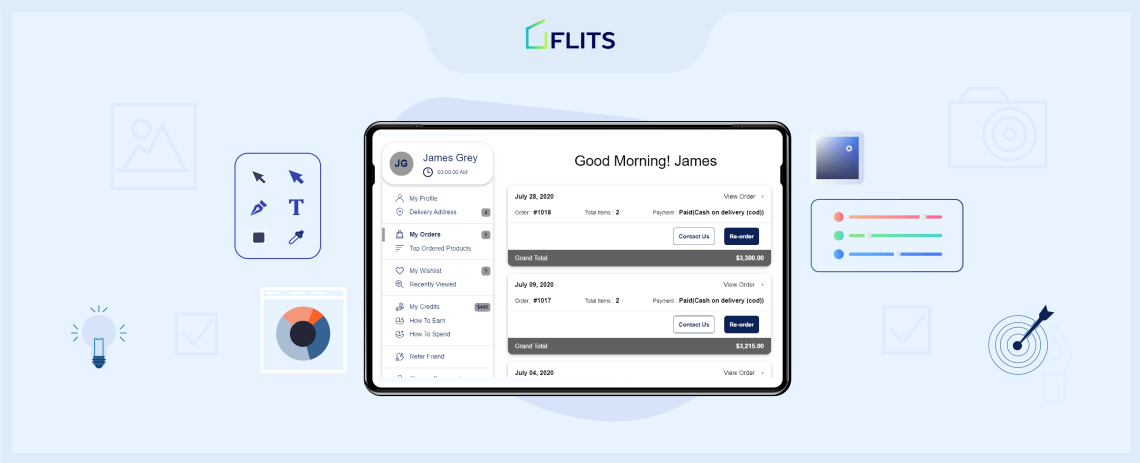
Like every brand, you also want to make it easier for shoppers to make purchases from your online store. So you’ve implemented a customer account page. That’s great news!
But did you know that branding your customer account page is as important as having one in the first place.
However, customizing your Shopify customer account page can get expensive with all the integrations and complex changes, if you hire a design agency.
But this challenge can be overcome, by using the right Shopify customer account page app.
So, if you’re still using the default Shopify customer account page, it’s time to move to Flits. The app gives you more features and the ability to rebrand and customize the one place that most of your customers are bound to visit more often.
Let us tell you a few ways in which you can customize your Flits Shopify customer account page to give your customers a more seamless experience while shopping.
Why you need to customize your Shopify customer account page
Customization has many benefits — better brand recall and improved customer experience. But let’s try to understand how your Shopify customer account page may affect your customers’ experience by looking at research findings, facts, and figures.
- According to a report by Statista, 60% of consumers say usability is an important factor for their eCommerce website experience. For example, the flow of the page, colors, navigation, features, and consistency, would be some of the factors that affect usability.
- Customers take only 50 milliseconds to form an impression about your website, which affects their decision to stay on the site or leave.
- 47% of people expect webpages to load within two seconds. This costs eCommerce websites $ 2.6 billion in lost sales each year.
How to fix your Shopify customer account page app experience so customers stay on it? Customize!
Things you can customize on your Shopify customer account page
1. Your customer account page template
First things first, the design of your customer account page needs to make it feel like it is a part of your site. That means that it should match your Shopify store’s look and feel in more than just the terms of color.
With Flits, you get access to two customer account page templates – UNO and DUO; each of which is designed keeping different styles in mind that can be further tailored to match your store’s branding.
So your first decision needs to be the customer account page template you’d want to go with.
- UNO: A simple, clean design that can be customized to match your brand
- DUO: An overall minimal look with rounded corners for the account page elements for those who want to customize a minimal look.
Let’s take a look at how different Shopify brands have set up customer account pages customized to the T to match their look and feel.
Here’s one from Indie and Harper:

And here’s a look at how The Man Company has customized theirs:

2. Change the navigation color
In branding, color plays a key role. It helps consumers associate colors to particular brands, increases recall value of brands, and triggers emotions that may lead customers to take actions.
The customer account page being one of the most visited and key pages, it’s important to customize its colors. To customize the template, you should change the navigation color as that it matches the look and feel of the rest of your website. It will add consistency to your site. As you can see in the below image, the navigation bar in blue color can be changed when you have a Flits customer account page.

Best practices:
- Choose a color tone that is from the palette you use in the store
- Make sure that the color you pick doesn’t make your customer account page look overly heavy
- Ensure that the text on the tabs stands out on the color
3. Change the font color
The text on the customer account page should be easy to read and prominent. One way to do that is by changing the font color to one that is lighter or darker than that chosen for the navigation of the customer account page.

Best practices for text colors:
- Always pick a color that compliments the one you choose for the navigation
- Make sure the color you pick is also preferably from your brand palette
- Preview the change you make to the font color to ensure it is visible for customers using the page
4. Change the button color
Your customer account page will have many different clickable buttons such as ‘Re-order’, ‘Cancel’, ‘Delete item’, ‘Raise ticket’, etc, depending on the add-ons you select for it. The clickable buttons or the call-to-action buttons on the customer account page are the most important, because they guide customers to take actions.
Now, typically, marketers choose colors such as orange, green, and red, as these are known to be more attractive, but that doesn’t mean you should blindly pick these colors while customizing your customer account page.

You should make sure the buttons stand out, at the same time do not look like you’re trying too hard. The buttons should mingle well with the look and feel of your website.
Best practices:
- Use a button color that stands out within your Shopify customer account page and nudges the customer to interact with them – for eg. the ‘reorder’ button – you want them to click on it; so don’t make it so merged with the rest of the colors that it doesn’t call out to the shopper
- You can pick a contrasting color, but it should be from your brand color palette
- A good option is to maybe just use the same color you pick for your navigation
5. Pick and choose the add-ons in your customer account page
There are some features a customer account page will definitely have such as ‘Profile’, ‘Order history’, ‘Payment details’, ‘Logout’, etc. But as an eCommerce store, you should aim to make your customer account page more engaging and lucrative – one that helps customers take actions.
So, you can further customize the functionality of this page through add-ons. This will simplify your customers’ shopping experience. Think of add-ons such as ‘Wishlist’, ‘Social login’, ‘Search & filter in order history’, ‘Store credits’, and ‘Rewards’, among others.
Store credits: One of the most important goals of your Shopify store should be to increase customer loyalty. It will ensure customers keep coming back to you. The ‘Store credits’ feature helps do that. Store credits or rewards can be of different types:
- Offer store credits when customers make a purchase
- Review credits when customers share reviews
- Subscription credits when they subscribe to buy a product
- Credits for referrals when they refer your brand to their friends and family
Social login: You can allow your customers to login or even sign up faster through their social media account credentials.
- It helps convert more shoppers into subscribers, as it simplifies the registration process
- You can even grow your email list through this feature and ensure there are no fake accounts
- Create marketing and retargeting campaigns once you have social data of your subscribers
Wishlist: The wishlist feature allows shoppers to add their favourite items to wishlists; which they can come back to later to make a purchase from.
- This helps you gauge shoppers’ purchase intent and interests
- You can use purchase intent data to create personalized marketing campaigns
- It makes it easy for shoppers to purchase items from their wishlist in the future
Advanced search filters or Order History: Allow your customers to run advanced searches and filters with this feature on the orders they have placed previously on your store.
- It makes it easy for customers to keep a track of their past purchases
- They can search items based on factors such as price, size, discounted items, etc., making it faster for them to make purchases
- You can take this opportunity to engage more with customers and create personalized marketing campaigns for them
Re-order: At times, customers might want to buy the same items repeatedly. Having a reorder button makes it easier for them.
- They can quickly browse through their order history and click on the reorder button to make the purchase
- This way the checkout process becomes faster and easier
- You could even have the feature of auto-fill details such as address and payment mode, to make the process more efficient
Recently viewed products: Customers browse a lot of products and may forget or lose track of an item they had liked. Having a ‘Recently viewed products’ button can help them go back to items they liked.
- You can remind returning customers about the products they have seen and increase your sales opportunities
- You can use the recently-viewed products section to display related products to cross-sell and upsell as well, to help boost your revenue
Best practices:
- We encourage you to enable all the add-ons as they were designed and created to make it easier for shoppers to interact with your store and buy from you, in a repeated manner
- Enabling all the add-ons will also help you get to know your buyers better with more information on them and their preferences
Bonus Point: Choose other elements to enhance customer experience
Your Shopify customer account page can be as engaging as you make it. And believe it or not, there are many ways to make your customers do a lot more and stay for longer on the page. Moreover, there’s a lot that customers would want to do on this page, which you may have never thought about. For instance, Amazon’s customer account page provides many different sections (see image). Let’s look at some elements you can mix up in the customer account page.
1. Manage email, SMS, ads, notifications
We have a hard time managing messages, emails, and alerts on our devices, don’t we? An average person shops from at least 15 to 20 online brands. And so, we receive a lot of communication messages and mails from these brands. Due to this overload of communication, many customers prefer to unsubscribe or stop receiving messages.
This is where your Shopify customer account page can be helpful. You could have a separate tab to enable customers to manage the way you communicate with them. Allow them the freedom and ease to stop communications when they want. Or restart it. This will give them a pleasant experience and build more trust in your brand.
2. Payment methods
Studies say that by 2026, the most popular eCommerce payment methods will be credit cards, debit cards, and digital wallets. However, there are many options within these categories, for example, the mere number of wallets and cards. Hence, bringing all these payment methods under one section would simplify customers’ experience.
For instance, if customers have multiple payment methods saved and they want to delete any method or add new details, they could simply go to this section and change the details.
3. Other related accounts
You might have other programs running on your Shopify store, such as referrals, subscriptions, memberships, or loyalty programs. You can customize the Shopify customer account page, including a separate section to add details about other accounts.
Customers can manage their different accounts via this section. For example, say a customer wants to upgrade their subscription or change notification preference for their membership account; they could do so by going to this section.
4. Data and privacy
Customers are often concerned about how companies will use their personal data. And so, they often refrain from buying from brands that do not have transparent privacy policies. Moreover, they also like to have control on what information they can share or hide from brands. To build more trust and confidence, you can include a data and privacy section in the customer account page. Here, you can have information about data and privacy policies, allow customers to see what data you collected about them, how you would use it, etc. In addition, you can add features that enable them to discontinue their account.
See how Amazon has added an extra section within the customer account page to make things easy for its customers.

Examples: Shopify brands that have customized the customer account page
Many Shopify and Shopify Plus brands have effectively used the customization features provided by Shopify customer account page apps, such as Flits. In this section, we look at some brands that are efficiently leveraging Flits’ customization features to provide a better customer experience.
1. Snitch

A men’s designer wear brand, Snitch uses Flits Shopify customer account page app for its online store. The brand has efficiently customized the customer account by incorporating all the main elements and changing the visual look to match its brand personality.
Keeping to the monochrome color palette of the brand, the customer account page maintains a minimal feel, even though the page is comprehensive with all the features. For example, profile, delivery address, wishlist, recently viewed products, referrals program, among other features, are all neatly incorporated into their Shopify customer account page.
2. Borosil

Another example of a brand that has efficiently customized the Shopify customer account page, is the glassware company, Borosil. The page is comprehensive with all features, has used the customization features to match their brand personality, includes features such as wishlist, allows customers to self-edit key details, and ensures a personalized experience for customers. All these factors make it easy for this brand to earn high ROI from its Shopify Plus website.
3. Meg Bitton Productions

Meg Bitton Productions is a brand that offers digital tools related to photography, photoshop, etc. The brand has customized its Shopify customer account page to match the brand tone and personality. With a clean two-column design, the page incorporates the basic features, such as profile, address, order history, and recently viewed products. Some of the names of these features have been changed.
4. Carbone

Carbone has customized its Shopify customer account page to match its brand colors. The navigation bar color matches its brand logo color theme. In addition, the page has many customized features apart from the standard wishlist, store credit, order history, etc.
5. Card Cavern

Card Carvern is a card brand that has customized its Shopify customer account page using Flits app. The customer account page instantly reminds of the brand’s logo and website colors. Keeping it basic and minimal, the page incorporates key features such as order history, delivery address, along with added marketing features such as store credits and recently viewed products. Customers can get an overview of all they can do on the page within a few seconds, enhancing their experience of shopping on the website.
Also read how some of the best Shopify brands in the USA use the Flits customer account page app in our previous blog.
The best takeaways from these examples
- Visual consistency between your website, logo, and customer account page is important
- Adding marketing features such as store credits, recently viewed products, referral programs, etc., enhances customer experience and engagement rates and can ensure more Shopify customer account page sign up rate will be
- By making it easy for customers to self-edit — change, stop, restart, edit details, etc., you can ensure a good customer experience and boost customer loyalty
- The more you add to the customer account page, the better the experience and, hence, the longer the time customers spend on your site
How are you going to customize your customer account page?
We’re sure, by now you agree it’s quite important to customize your customer account page. This page requires an equal amount of effort and attention to the other pages on your store. And you can do this all easily, with the Flits customer account page!
Don’t have a customized customer account page yet?
Install the Flits app today on your Shopify store.


