
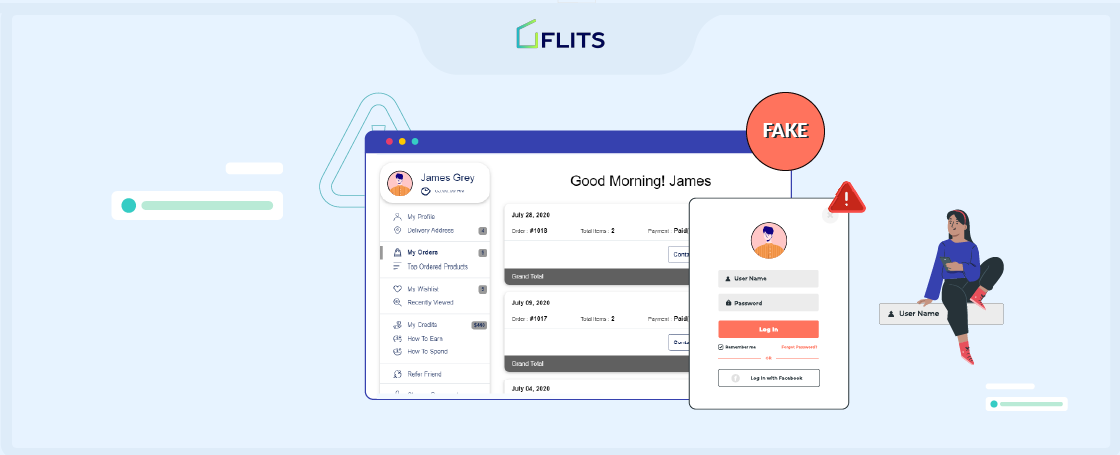
Experiencing fake signups on your Shopify customer account page? This is for you.
Did you know that bots make up almost 30% of the total traffic on the internet? It’s one of the reasons why Shopify store owners see an increase in fake account signups. A report suggests one out of every five account registration is fraudulent.
With fake signups, spam bots skew your subscriber list, damaging your online reputation and creating havoc for your Shopify store. Your subscriber list will be affected so severely that you won’t have an accurate image of your customers. Your metrics will be misleading, and your email will get the “spam” tag.
One way to stop your emails from landing in the spam folder is to clean the list manually and frequently. But it is too tiring. And this method comes with a high probability of making mistakes. You can possibly delete the details of your regular customers too, which of course, no business wants.
So, what is the solution? Instead of having to clean it later, you can take steps to avoid fake signups from happening. In this blog, we’ll share with you some tactics to stop spam bots from doing Shopify fake signups.
Hop in!
What Are Fake Signups?
Bots (automated software applications) built for spamming are one of the biggest threats to a business’ customer database. These bots search for the forms present on a website and submit fake information (of real or imaginary people) to the list. In other words, do a fake signup.
If the email addresses submitted in fake signups belong to people who don’t want emails from your business, then they’re very likely to report you as “spam.” And with more people reporting, Google and other sites will put you on their spam blacklist.
Fake signups also have a negative impact on your business decision because the data you’re relying on is inaccurate. It’ll become harder for you to target relevant content to specific subscribers.
What are Shopify bots?
Shopify bots are automated software programs or scripts designed to interact with the Shopify eCommerce platform. Simply put, Shopify bots are computer programs that automatically perform activities on Shopify stores, just like humans/ customers.
So, for instance, Shopify bots can check if products are available on your site, they can track product prices, engage in fake sign ups on online stores, and also place fake orders.
The challenge is, while some bots help Shopify stores with things like keeping track of inventory, some bots (bad bots) engage in activities that harm the business. For example, buy products by changing prices and resell the same products at a higher price.
And because these bots can harm your business, it’s critical to stop them, particularly to prevent fake sign ups on your Shopify store.
Research found that from January to June 2023, bots accounted for almost 50% of internet traffic, with 30% traffic being from bad bots.

Just imagine how much harm such a large number of bots can cause to your eCommerce store.
To get an understanding, let’s look at some ways Shopify bots could affect your business.
Long story short, protect your store from fake signups to keep it running smoothly.
How do fake sign ups on online stores by Shopify bots hamper business growth?
While it may seem like bots are harmless, they’re not. Shopify bots are increasingly turning into bad bots, causing millions of dollars to eCommerce sites worldwide. In this section, we discuss some ways in which bots engaging in fake sign ups on online stores can harm business growth.
1. Shopify bots make it difficult to differentiate between real and fake
One of the biggest problems of Shopify bots is that it makes it difficult to distinguish genuine customers from fake (bots). Shopify bots can mimic real user interactions, create fake sign ups on online stores, generate misleading traffic, and engage in activities that make it extremely difficult to differentiate them from genuine customers.
This affects many factors, such as metrics on where customers are coming from, their preferences, shopping behavior, etc. Therefore, it becomes difficult to understand your Shopify audience or customers. You would end up with a distorted or incorrect understanding of your customers.
As a result, you may not be able to tailor marketing strategies and campaigns to match customer preferences. This is one of the reasons why Shopify stores need to manage bots and prevent fake sign ups on Shopify sites.
2. Fake sign ups hamper your marketing campaigns’ performance
As described in the above point, Shopify bots end up distorting your performance metrics. This has a direct negative impact on your marketing campaigns and strategies.
For starters, fake sign ups give you a skewed picture of your registered customers. You wouldn’t know how many actual, genuine human beings have signed up on your Shopify site.
Here are some negative effects of fake sign ups by Shopify bots:
- Bots crawl your web pages
- Steal content and sensitive information
- Send spam emails to your customers
- Generate fake ad impressions on your marketing ads
- Fills out forms with fake details, creating fake leads
- Fake sign ups on online shops
- Spam customers with bad messages
- False negative reviews
- Wastage of marketing budgets
- Can cost you to fight bots
Because of these and more such activities, you do not get the correct metrics or a clear picture of your marketing campaigns. For example, spam email signups would not engage with your emails. Hence, your open and click through rates will not give you an actual performance measure.
Moreover, your customer experience could drop as customers won’t engage much with your campaigns. Besides, bad reputation and customers afraid of engaging with your content might keep away from your brand, which can completely derail your business.
Here’s what a study found:

3. Shopify bots harm paid marketing
Many Shopify brands run paid marketing campaigns. But Shopify bots can come in the way. Bots can click on ads, view products, and generate fake traffic to sites through ads, among other activities.
These activities can lead to distorted metrics such as click-through rate, conversion rate, which will give an inaccurate assessment of your paid marketing campaigns.
In addition, bots can drain budgets by fake clicks and by engaging with ads. This can eat up your ad budget, which could have been utilized for other genuine customers. This can lead to financial losses for your Shopify business. Studies show companies can lose around 6% of their revenue due to bots.
Another negative effect of bots engaging with your paid ads is that they can create fake sign ups on your Shopify store via the ads, wasting your marketing efforts and resources.
4. Bots steal sensitive data from businesses and customers
Shopify bots are known to engage in activities such as extracting data and sensitive information from online stores. These incidents can affect a Shopify brand’s reputation, and affect the website’s rankings, among other damages.
This can lead to inventory hoarding, fake sign ups on online stores, and fake listings, as well. For customers, it may lead to loss of personal information and they may lose trust in your brand. As a result, you end up losing your Shopify customers.
What is worse, a survey reveals that 88% of businesses are struggling to detect sophisticated bots. This can not only affect your Shopify business growth, but you could end up wasting money in trying to fight bad Shopify bots.
5. Sophisticated bots take over accounts
Researchers have found bots are becoming more sophisticated and causing significant damage, focusing on account takeover attacks and attacks against APIs.
What do these bots do?
Typically, in account takeover attacks bots engage in forced attempts to take over accounts or user name and password stuffing or spraying.
Most often bots use credentials from data breaches and by stealing sensitive data. Once these bots successfully take over accounts, they can attack other accounts related to those credentials.
For example, say a bad bot successfully takes over one of your Shopify customer’s accounts. Through that account, bots can find more information about the customer as well as your business, and engage in malicious activities.
8 Best Ways to Protect Your Online Store From Bots and Fake Signups
Now that we know how much spam bots can hurt your online business, it’s time to look at the ways to prevent it from happening.
Use reCAPTCHA
Even if you’ve somehow managed to merely use the internet in this digital age, you must still have come across a CAPTCHA. It asks you to interpret distorted letters and numbers, choose the right images, etc. And you have to fill in the correct answer; only then can you submit the form.
Now, reCAPTCHA is a spam detection tool by Google that recognizes the bots and acts as a barrier between them and the form submission. It’s a free tool. And fortunately, it has been significantly simplified for humans as they can only pass the test by clicking a checkbox.
Using reCAPTCHA, you can protect your Shopify store subscriber list from fake signups.
Here’s what a typical reCAPTCHA looks like:

Add a Double Opt-in Form
Another great way to protect your online store from fake signups is by using the double opt-in feature. Whenever someone enters their email address, a confirmation link will be automatically sent to that email. And the details will not be stored in your database until and unless the users click on the verification link.
Spam bots, however, cannot answer an email. So adding the double opt-in layer will ensure that only real people can sign up for your online store.
This also makes sure that the emails entered by the customers are correct. If they’ve misspelled it, they’ll not receive the correct email. Your hard bourne rate increases when you send multiple emails to invalid IDs.
When the hard bounce is high, it can damage your deliverability rates and put you at risk of being treated as a spam email sender. But by using the double opt-in feature, you can also reduce the chances of a hard bounce.
Here’s what a simple confirmation email looks like:

Set Up Traps for Bots — The “Honey-Pot” Technique
In terms of signup forms, the honey-pot technique is when you add an extra field to your form that only bots will fill because it’ll be invisible to the users. So by filtering the submissions, you can instantly delete the ones in which that extra field is filled up.
You can implement a honey-pot trap using simple HTML and CSS codes. Here’s a sample code:
| CSS
.dispnon{display: none} HTML <input class=”dispnon” name=”field_name” type=”text”> |
|---|
The code can be simple or complex, depending on what you want to achieve and how your form is structured. An internet search can provide you with many examples if it’s something that you want to explore further.
Enable a Shopify Customer Account Page
Setting up a customer account page is one of the best ways to verify if a bot or a human has filled out the signup form. When customers sign up to create a store account, they have to provide their personal information like name, email, contact no., address, etc.
Their email and contact number are verified using automated confirmation links or OTP, so you can rest assured that the user is a real human and not a spam bot. Their account becomes more accessible to you. And whenever, in the future, they submit a form, you’ll know the submission is coming from the right person.
And not just spam signup detection, a customer account page can also help you strengthen your relationship with customers. To enhance your Shopify customer account pages, you can use a tool like Flits. It has features like personalization, order history, store credits, a wishlist, social login, and much more.
Flits also has OTP login as a feature which is available to only to Indian Shopify stores.

Form Validation After Geolocation of the IP Address
Have you ever come across sites whose content cannot be accessed in your location? Like those websites, you can also disable your form for specific locations if you’re confident that spam traffic is coming from there.
This tactic, however, has a significantly negative side attached to it. When you block the forms for some locations, you even stop the real users from the same location from signing up. So, we recommend that you only go for this if you’re sure that a region is creating more problems than benefits for your business.
Implement Time Analysis
Another way to identify if a form is filled by a bot or a human is by looking at the time it took them to submit it. Ideally, a human will take longer than a bot to finish the same form.
You must also consider that users might be using the auto-complete feature, so the time it takes them will also be lower. But even with auto-complete, humans can’t match the speed of bots who fill the form in less than a second.
Limit and Blacklist IP Addresses
If, upon verification, you come across IP addresses that are involved in suspicious sign ups, you can blacklist them to ensure that you don’t receive spam from them anymore. It’s a long process, though. First, identify a pattern, recognize fraudulent IP addresses, and then mark them as spammers.
Another thing that you do is limit the number of submissions from the same ID, say ten signups. Then you can apply filters to identify the IP addresses that have exceeded the limit.
Block Spam Traffic Using Third-Party Apps
As an online business owner, you must understand that handling everything manually is not the right way to move forward. You must automate things to focus on the main activity, i.e., bringing more customers and sales.
There are a plethora of apps and plugins providing Shopify bot protection. You don’t have to do anything manually. These tools are based on smart learning algorithms that allow you to confirm if the submission is coming from a user or a bot. And the best part is that your customers don’t get annoyed by challenging tests.
To prevent Shopify from fake signups, you can use tools like Shop Protector or Shopify fraud prevention apps. There are also different plugins available for WooCommerce and other online store platforms.
How to Remove Fake Signups?
So now we know how to protect the online store from bots and fake signups. But what about those that have already crawled into your subscriber list? And what about the sophisticated bots that bypass the prevention layers?
This is why removing suspicious emails from the list should be an ongoing process. It can be challenging initially. But as you set up the protection layer, things will be much easier because a majority of bots would’ve already been blocked out.
That said, here are some ways to remove fake signups:
Use Segmentation to Find Passive Subscribers
You don’t want users in your list who’ve been inactive for a long time. They are bringing you no sale. And if they get annoyed by your promotional emails, they will likely report you as spam. Therefore, you should delete their emails from the list and play the safe game.
You can use the segmentation feature of your email service provider. And unsubscribe the users who’ve been inactive for more than 5-6 months. It’ll increase the current engagement and overall sender’s score of your brand.
Use Your ESP’s Email List Cleaning Feature
Almost every email service provider has a feature to clean email lists. This feature is based on machine learning algorithms and constantly validates the emails in your list.
It finds inactive emails in your data to drop your bounce rate. So if the bot signed up using a fake email, the list-cleaning feature would identify it.
Manually Look Through Email Addresses
When you manually check the email address of users in your list, you notice that some are just weird or their domain name doesn’t make sense. In such cases, you can check their spam status using CleanTalk blacklists.
Double-Check the Addresses of Cart Abandoners
There are sophisticated spam bots that can add products to the cart and leave the store without completing the transaction. This can lead to an overestimation of demand. You should keep your eyes on cart abandoners and check if their email looks suspicious or repeat multiple times in the list.
Run Signup Campaigns for Verification
Some of your customers might have completed a purchase as a guest. And you might not have a way to verify their email. In such cases, you can send out a campaign to encourage them to sign up.
But they didn’t do it initially. Why would they do it now? They’ll do it because you will offer them store credits in return for signup. You’ll make more sales because customers will use the store credit to get something. And you’ll also be able to verify their details.
After adding protection layers and cleaning out the list, you’ll have the data of your actual customer. And this is the data that’ll help you make better business decisions.
Pro tip: Use Shopify fraud prevention apps to this more proactively for your online store.
Don’t Let the Fake Signups and Spam Bots Win!
Spam bots, unfortunately, are not going anywhere. You have to make an effort if you want to protect your store from fake signups.
The best way to tackle fraud signups and get your real customers verified is by enabling the customer account page. Flits allows you to set up two-factor authentication to ensure that only real customers can sign up.
When you have customer information and know who’s verified and who’s not, you can easily capture the bots and clean your list. Shopify fraud prevention is rapidly becoming an important aspect for online businesses to look into as the digital landscape grows, so ensure you take a proactive approach instead of a reactive strategy.


