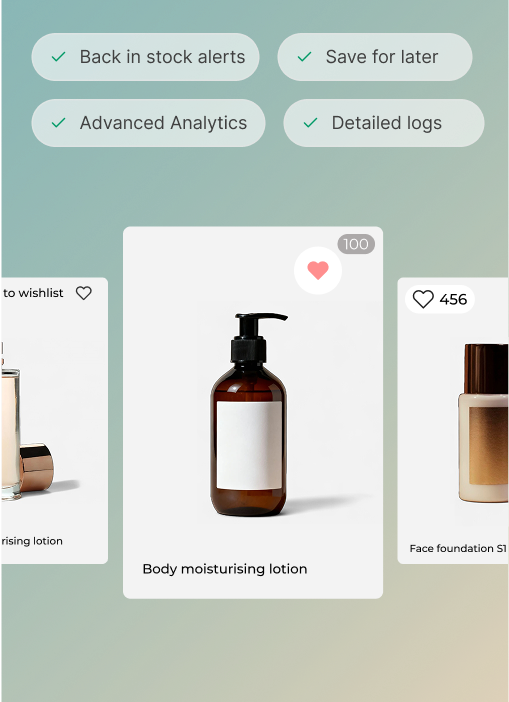
In today’s competitive e-commerce landscape, wishlists have become a valuable tool for both customers and brands. Customers rely on the wishlist page in Shopify stores to conveniently save and revisit products they love, while brands gain crucial insights into customer preferences.
However, the success of a wishlist lies heavily in its design, as it directly influences the number of items that transition from the wishlist to the shopping cart.
That’s why optimizing the wishlist page design is of utmost importance. Join us as we explore the key strategies and techniques to enhance your wishlist page’s design and drive more conversions by seamlessly guiding customers from wishlists to checkout.
In this guide, discover how the right wishlist page design can make all the difference in transforming customer interest into completed purchases.
Recap: What is a Shopify wishlist page?

A Shopify wishlist page is a dedicated section on an online store built using the Shopify platform that allows customers to save and organize products they are interested in purchasing. This page serves as a personalized collection of desired items where customers can revisit and manage their selections.
When you create a wishlist page on Shopify, you empower customers to easily keep track of products they love, enhancing their shopping experience and enabling them to make informed purchase decisions in the future.
6 Shopify wishlist page design tips you cannot miss out on
When it comes to optimizing your Shopify wishlist page design, there are several key tips to keep in mind. These include –
1. Avoid visual clutter
First and foremost, it’s crucial to keep the design clean and free of clutter. Avoid overwhelming your customers with too many competing calls-to-action or promotions on the wishlist page.
The primary focus should be on the wishlist itself and the products saved by the customer – and of course, getting them to complete the purchase.
By providing a clean and minimalist design, you create a visually pleasing and user-friendly experience that allows customers to easily navigate and interact with their wishlist.
2. Provide an easy add-to-cart button

Make sure to prominently display an easy add-to-cart button for each product on the wishlist page. This button should be easily recognizable and accessible, encouraging customers to transition their desired items from the wishlist to the shopping cart with a simple click.
By placing the add to cart button strategically, such as next to each product or in a central location on the page, you eliminate any friction in the purchasing process and promote a seamless user experience.
In the example above, notice how Kylie Cosmetics also has a button to add all items from wishlist to the cart at once.
3. Provide an easy delete button
To enhance the user experience on your wishlist page, it is essential to include an easy-to-find and simple delete button for each product.
This empowers customers to easily remove items they no longer want or need from their wishlist. By providing this functionality, you demonstrate that you value the customer’s control over their wishlist and make it effortless for them to curate their preferred products.
However, note that this button need not be too flashy or bold in its appearance.
4. Ensure brand color consistency
Consistency in branding is key to establishing a strong identity and fostering better brand recall. When designing your Shopify wishlist page, make sure to incorporate your brand’s colors consistently throughout the page.
Aligning the wishlist page’s color scheme with the rest of your website creates a harmonious and cohesive visual experience for customers.
Consistent brand colors not only reinforce your brand’s identity but also establish a sense of trust and familiarity. Customers will associate your brand with their wishlist and feel confident when making their purchasing decisions.
Here are a few things you can look into to ensure consistency –
- Change the navigation colors
- Change the font and font colors
- Use icons similar to the style you use on your website
- Maintain consistency in call-to-action button colors and shapes
- Provide the option to change the language based on the customers’ locations
5. Prioritize mobile responsive design
Mobile devices are a primary means of browsing and shopping for many users, so it’s important to provide a seamless experience on smaller screens and touch-based interactions.
Consider these factors when creating a mobile-friendly design for your Shopify wishlist page –
- Responsive Design: Ensure that the wishlist page layout and elements adjust dynamically to fit different screen sizes and orientations. This allows users to view and interact with their wishlist easily, no matter the device they are using.
- Streamlined Navigation: Simplify the navigation on the mobile version of your wishlist page. Make it easy for users to access and manage their wishlist items with clear and intuitive controls. Minimize the need for scrolling or excessive tapping to enhance usability.
- Mobile-Friendly Add to Cart: Make sure the “add to cart” functionality on the wishlist page is optimized for mobile devices. Buttons should be large enough and well-spaced to accommodate touch inputs, ensuring a smooth and frustration-free experience when customers are ready to purchase.
- Optimized Loading Speed: Mobile users have high expectations for fast-loading pages. Optimize your wishlist page to load quickly on mobile devices by minimizing unnecessary elements, compressing images, and utilizing caching techniques.
- Test Across Devices: It’s essential to test the mobile experience of your wishlist page across various devices and screen sizes. Embrace a mobile-first mindset and address any design or usability issues that may arise during testing.
6. Allow customers to share their Shopify wishlists
Improving the shareability of the wishlist feature is one of the best ways to increase customer engagement. For example, customers may want to share a list of products they like with friends and family on special occasions such as their birthday.
By making the wishlist shareable, customers can easily share the list with people they want to receive gifts from without the need to copy and share individual product links.
Sharing a wishlist has numerous benefits for both the customers and the business such as –
- Growing brand awareness as customers share the link with others
- Acquiring new customers as they purchase products from the wishlist
- Gathering more data from people who click on the shared wishlist
- Increasing sales and revenue for the business
Offering a social media platform option for sharing can significantly increase the reach of the wishlist.
Bonus: Shopify wishlist design best practices

By following best practices and making it easy for customers to add items to their wishlist, you can effectively reduce cart abandonment and increase customer engagement.
Let’s explore some key strategies for optimizing your wishlist functionality –
1. Prominent Add to Wishlist buttons
To encourage users to add items to their wishlist, it’s crucial to make the process quick and intuitive. Place prominent “Add to Wishlist” buttons on product pages to capture customers’ attention and make it easy for them to save their desired items.
These buttons should be visually appealing and easily recognizable, attracting customers to engage with the wishlist feature.
2. Strategic placement within commonly used pages
To maximize the usability of your wishlist feature, consider integrating it into commonly used pages such as the product catalog or the customer account page.
Placing the wishlist prominently on these pages ensures that customers can easily access and actively use it. For example, you can place the wishlist option in the top right-hand corner, where most users instinctively look for such features.
This strategic placement enhances the visibility and accessibility of the wishlist, increasing the chances of customers utilizing it.
3. Seamless integration within the customer account page
To further promote the use of the wishlist, consider making it a part of the customer account page. By doing so, customers can easily access their wishlist alongside other account-related functions, creating a seamless and cohesive user experience.
Additionally, integrating the wishlist within the customer account page allows you to leverage customer data and personalize the wishlist experience based on their preferences.
4. Simple and intuitive user interface
When designing your wishlist feature, prioritize simplicity and intuitiveness. Ensure that customers can easily navigate and interact with the wishlist, such as adding or removing items without any hassle.
Clear and concise notifications confirming item additions and removals provide valuable feedback to users, reinforcing their engagement with the wishlist.
5. Social sharing
Encourage customers to share their wishlists with others through social sharing buttons. By providing an option to share wishlists on popular social media platforms, you can extend the reach of your brand and products to a wider audience.
This not only increases exposure but also helps customers receive gift recommendations from friends and family, ultimately driving more sales.
6. Don’t gate it and require signup
Avoid putting up a barrier that requires customers to sign up or create an account before they can use the wishlist feature. This can deter potential users from engaging with the wishlist and may lead to cart abandonment.
Making the wishlist accessible to all visitors without any mandatory signup allows for a frictionless user experience and encourages more customers to utilize the feature.
7. Make it easy to remove items shoppers no longer want
Provide a straightforward process for customers to remove items from their wishlist. Users may change their minds or no longer be interested in certain products, so it’s important to make it effortless for them to remove unwanted items.
This ensures that the wishlist remains relevant and up-to-date, improving the overall user experience and increasing customer satisfaction.
Wrapping up!
We’re sure you’ve learned a few new strategies to use the wishlist feature for your Shopify business.
The idea is to choose a few of the above strategies and combine them with other functions on your customer account page. That way, you can leverage the benefits of all the features on your website.
You’ll need to install an efficient customer account page app such as Flits to get started. The Shopify app allows easy installation and integration of the wishlist feature.